Keyword Research Agent
What the keyword research agent does
Yahini's AI Keyword Research Agent automates the entire keyword research process by analyzing thousands of potential keywords and delivering a prioritized list of the ones most likely to drive business results for your specific business.
Instead of spending days manually sifting through spreadsheets, you get a pre-filtered, pre-prioritized list ready for action. The agent combines real-time search data with your Brand Intelligence to identify opportunities that matter, not just high-volume keywords that everyone else is targeting.
How it finds the right keywords
The Keyword Research Agent uses a multi-layered approach:
Step 1: Strategic categorization – Analyzes your business context and identifies keyword categories relevant to your offerings: product keywords, solution-focused terms, comparison queries, use cases, pain point searches, and industry-specific terminology.
Step 2: Live market data validation – Cross-references these categories against real search data through DataForSEO's API, which pulls directly from Google's database. This gives you hard metrics: search volume, keyword difficulty, and current ranking landscape.
Step 3: Business impact scoring – Processes all data points through Yahini's proprietary scoring system, which considers:
- Business relevance to your specific offerings
- Search intent alignment with your funnel stage
- Competitive difficulty and opportunity gaps
- Your Brand Intelligence and positioning
- Content type suitability and resource requirements
- Conversion potential and market trends
Result: 200-500 high-priority keywords (800+ with secondary clusters) instead of 2000+ generic keywords you'd have to sort through manually.
Understanding priority scoring
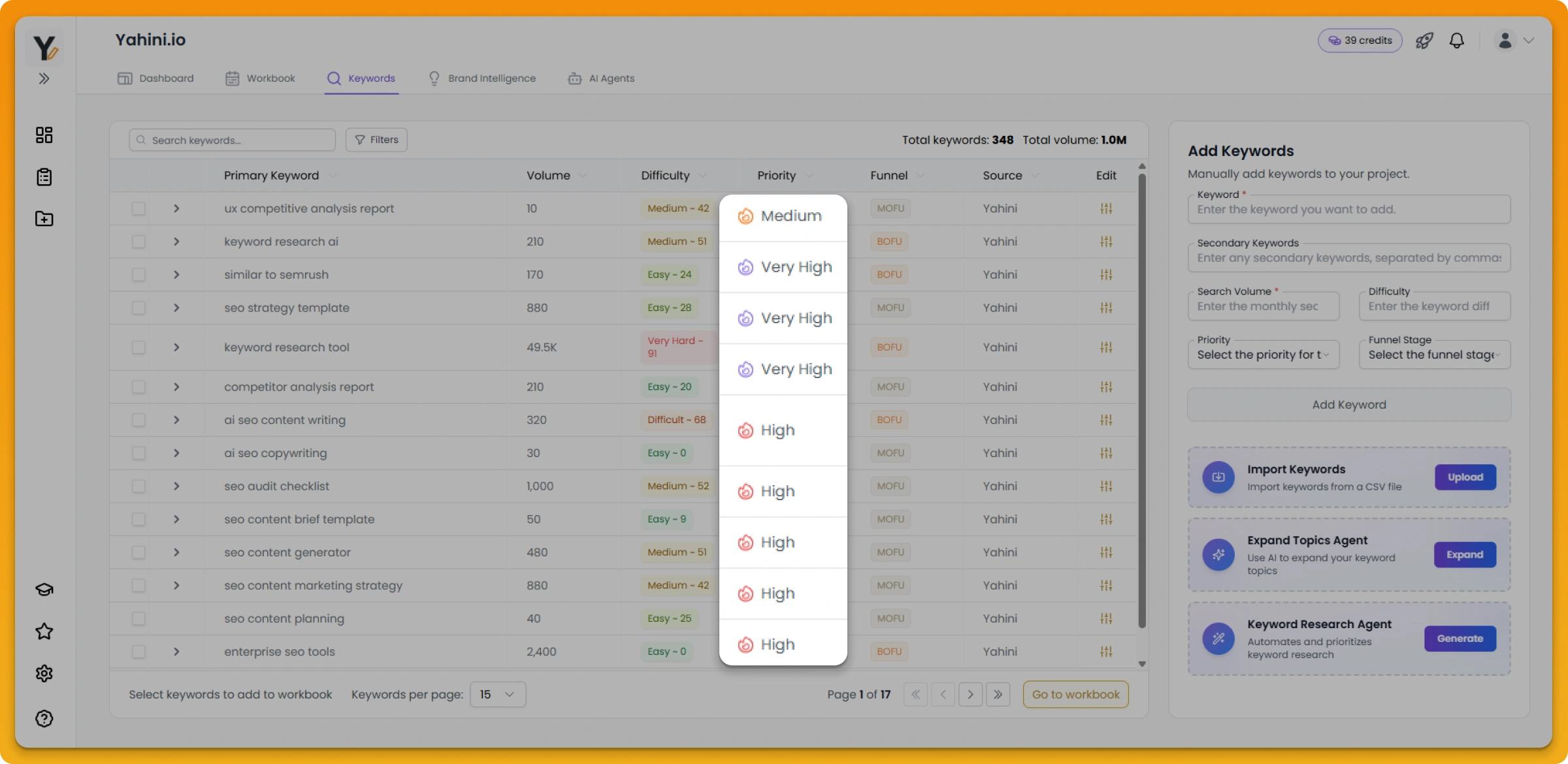
Priority scores range from Low to High, with the system identifying which keywords deserve your immediate attention. Yahini recommends focusing on high-priority keywords first, as these typically offer the best balance of opportunity and effort.
However, you control the strategy. You can:
- Override priority scores for individual keywords
- Adjust which keywords go into your workbook
- Customize funnel stage assignments
- Filter by multiple criteria simultaneously
Yahini achieves 87-94% accuracy when compared to human strategist keyword selections, which means the recommendations are reliable—but your business expertise should always guide final decisions.
Funnel stage mapping
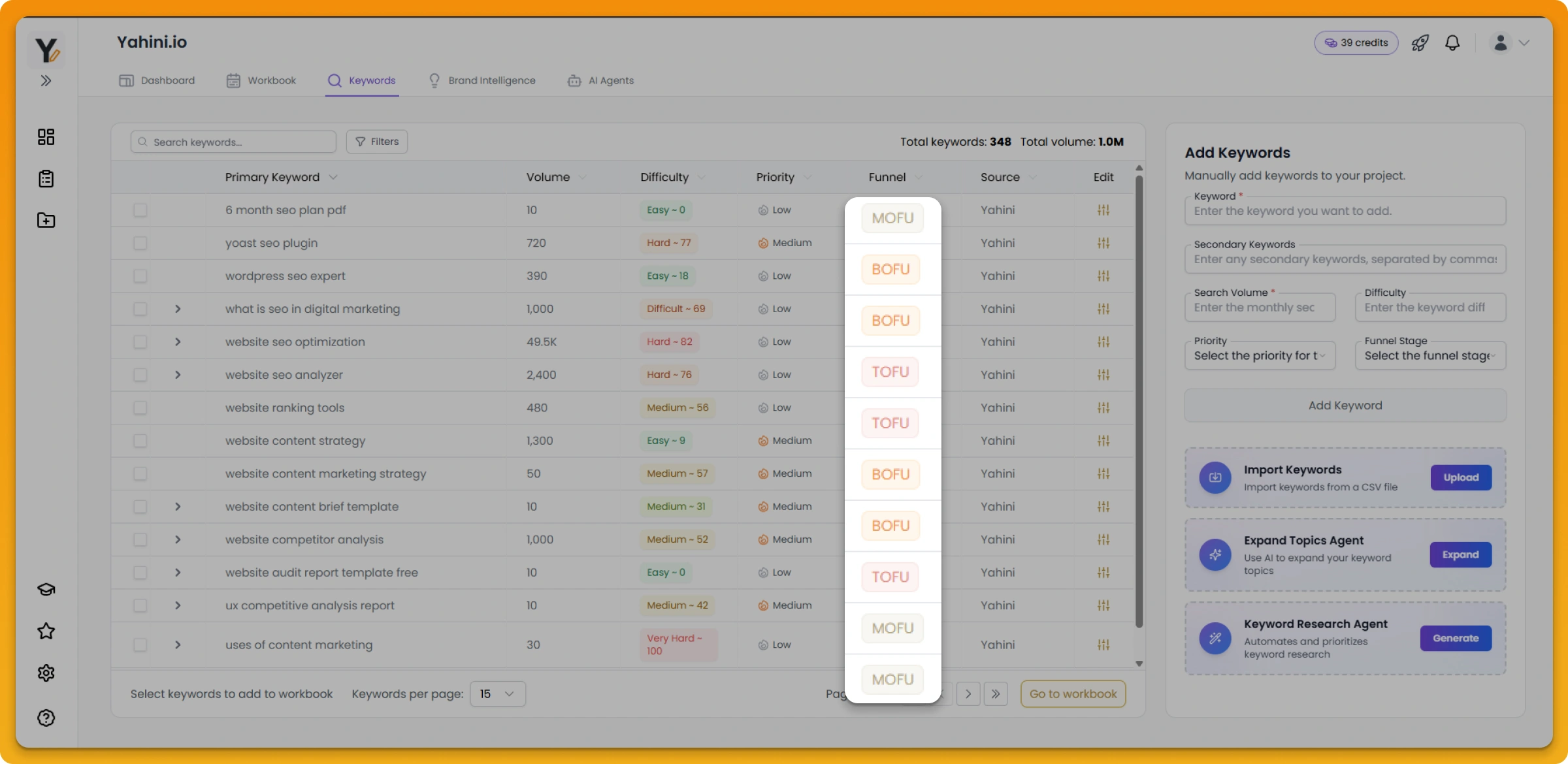
Every keyword is automatically mapped to TOFU, MOFU, or BOFU based on search intent and your business context. This ensures your content strategy is balanced across the entire customer journey, not just focused on bottom-funnel conversions.
Yahini recommends a 50/40/10 split (50% BOFU, 40% MOFU, 10% TOFU) as a starting point, but you can adjust these percentages to match your specific business goals.
If the agent assigns a keyword to the wrong funnel stage, you can easily customize it.
Adding your own keywords
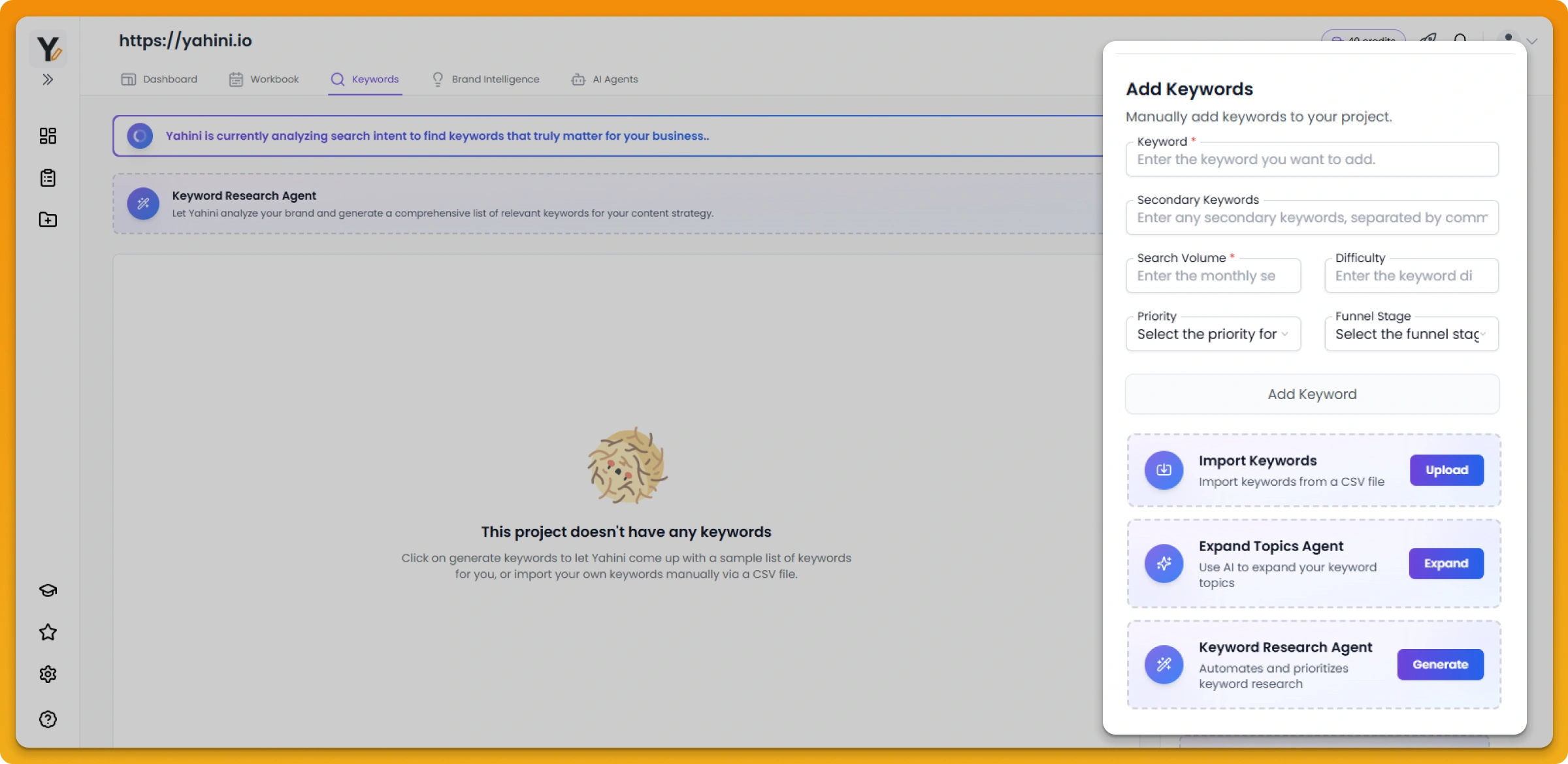
Click the "Add More Keywords" button in the top right corner of your project's keywords list.
On the Import Keywords page:
Download the sample CSV template provided by clicking "Download a sample CSV", then prepare your own CSV file following the required format.
Your CSV needs to include, at minimum, the Primary Keyword and Search Volume columns. Additional columns like Secondary Keywords, Keyword Difficulty, Priority, and Funnel Stage are optional but encouraged.
Note: There's a hard limit of 200 keywords per CSV file to prevent abuse. Check your plan limits before uploading.
Upload and confirm:
You can either drag and drop your file into the upload area or click "Browse files" to select from your computer.
After uploading, you'll reach a confirmation stage where you:
- Verify that your columns match the expected Yahini columns
- Ensure all required fields are properly mapped
- Check the "Include" boxes for the columns you want to import
- Click "Submit" to complete the import
Important notes:
- You can import only a certain number of keywords per month (depending on your plan)
- Keywords must be in English only
- Primary Keyword and Search Volume are required fields
- Import limits vary by plan; unused imports don't roll over
How Yahini handles imported keywords
Automatic analysis and categorization:
If you don't provide certain metrics, Yahini fills them in automatically:
- Secondary Keywords – Yahini doesn't perform automatic keyword clustering. You'll need to manually add secondary keywords if you want them. If you don't include them, your primary keywords will stand alone. Maximum 5 secondary keywords per primary keyword.
- Keyword Difficulty – If not specified, displays as "0" in your list. You can still use the keyword normally; edit the difficulty manually if needed.
- Priority Level – Yahini automatically determines the most appropriate priority level (Low, Medium, High) using its advanced algorithm. You can override this by editing in your CSV or directly in the keywords table.
- Funnel Stage – If not assigned, Yahini analyzes keyword intent and characteristics to assign TOFU, MOFU, or BOFU. You can edit this afterward.
What happens after import:
After uploading, you'll receive a confirmation notification showing success or errors. Processing may take a few minutes.
Once processed, imported keywords appear in your main project keywords list. Use the "Source" filter to view either "Yahini" or "External" keywords separately.
Imported keywords and Yahini-generated keywords are both subject to duplicate checking—duplicates are automatically excluded and won't be deducted from your monthly import limit.
Handling CSV errors and edge cases
Priority Score Format: If you enter numerical values ("1") instead of text ("High"), Yahini automatically converts them to the appropriate priority score.
Funnel Stage Typos: Misspelled funnel stages are automatically corrected and assigned to the most appropriate category (TOFU, MOFU, BOFU).
Invalid Number Formats:
- Search Volume and Keyword Difficulty must be numerical values
- Keywords with non-numerical Search Volumes won't be imported
- Keywords with non-numerical Keyword Difficulties are automatically assigned a difficulty of "0"
Missing Required Fields: If Primary Keyword or Search Volume is missing, that specific row will be excluded from import.
Duplicates: The system checks for duplicates against your existing project keywords. Duplicates are excluded from import and won't count against your monthly import limit.
You'll receive a final notification showing the number of successfully imported keywords compared to your CSV file total.
Related: Expand topics agent
The Expand Topics Agent takes your selected keywords and surfaces related opportunities aligned with your strategy. This helps you discover adjacent content angles and expand your content roadmap systematically.
Key metrics explained
Search Volume – Global monthly searches for your primary keyword, pulled directly from Google's database via DataForSEO.
Keyword Difficulty – A 0-100 scale showing how competitive a keyword is. Scores of 0-20 are relatively easy to rank for; 81-100 are extremely competitive.
Primary/Secondary Keywords – Grouped in clusters to prevent content cannibalization. Target secondary keywords within the same piece as your primary keyword.
Data accuracy
All search data comes directly from Google's database through DataForSEO, making it the most reliable available. While Google acknowledges these metrics aren't perfectly precise, industry research shows even major SEO tools achieve only about 60% accuracy—Yahini's direct source ensures better reliability.
Update frequency depends on keyword competitiveness. High-volume, competitive keywords update frequently; niche keywords update less often as their search landscape is more stable.