Enhance Brief Agent
The Enhance Brief Agent allows you to fine-tune your content brief based on your needs. Whether you want to adjust the focus, exclude certain competitors, or refine the audience targeting, this feature helps you further refine Yahini's strategic recommendations to perfectly match your evolving needs and ensure the most relevant and effective brief.
How to Enhance a Brief
-
Go to your content brief – Open the brief you want to adjust.
-
Click "Enhance Brief" – You'll find this button at the bottom-left of the Brief Overview.
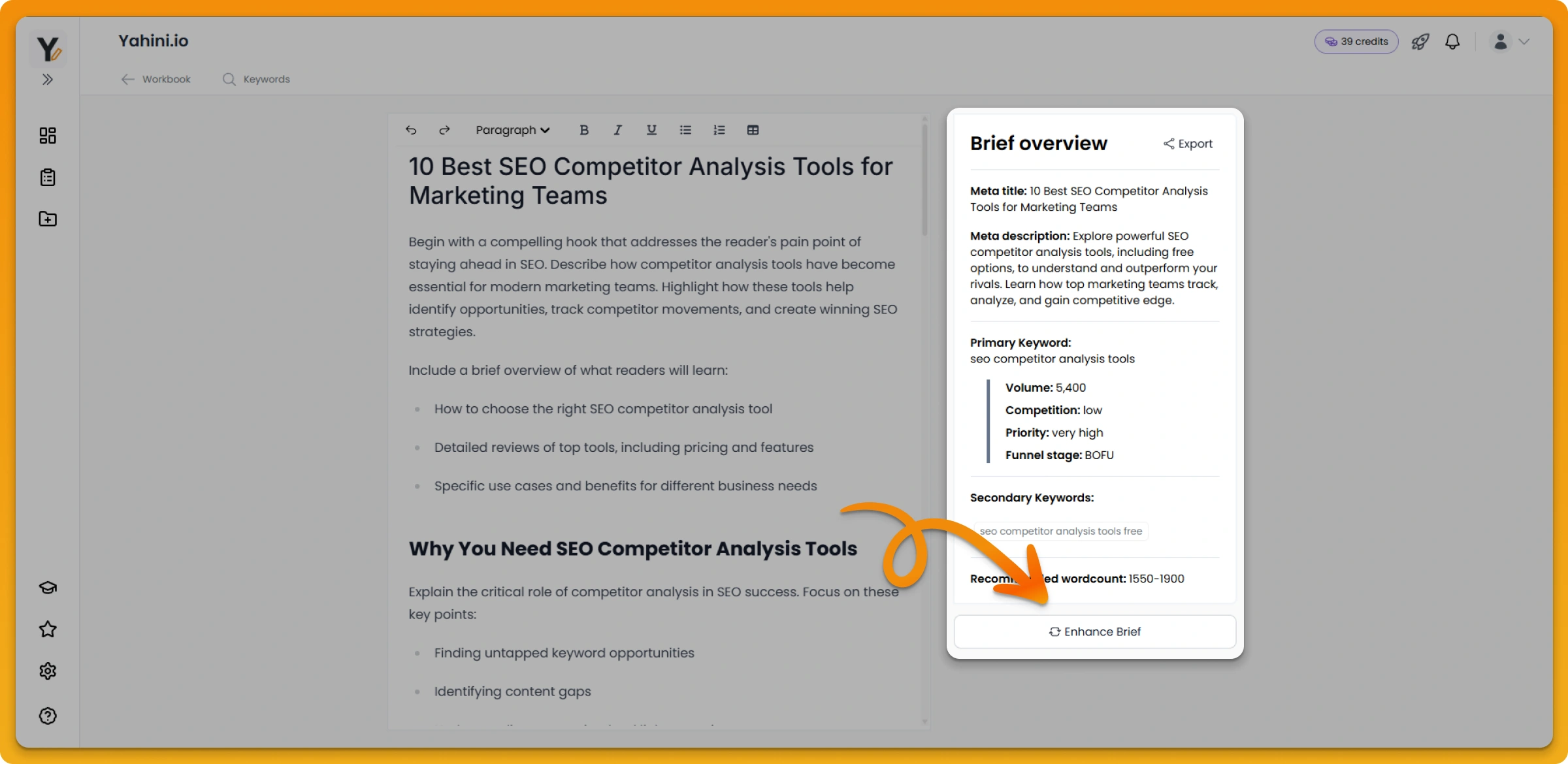
-
Provide your feedback – In the pop-up, describe what you'd like to change. Be as detailed as possible! (Check out examples here for inspiration.)
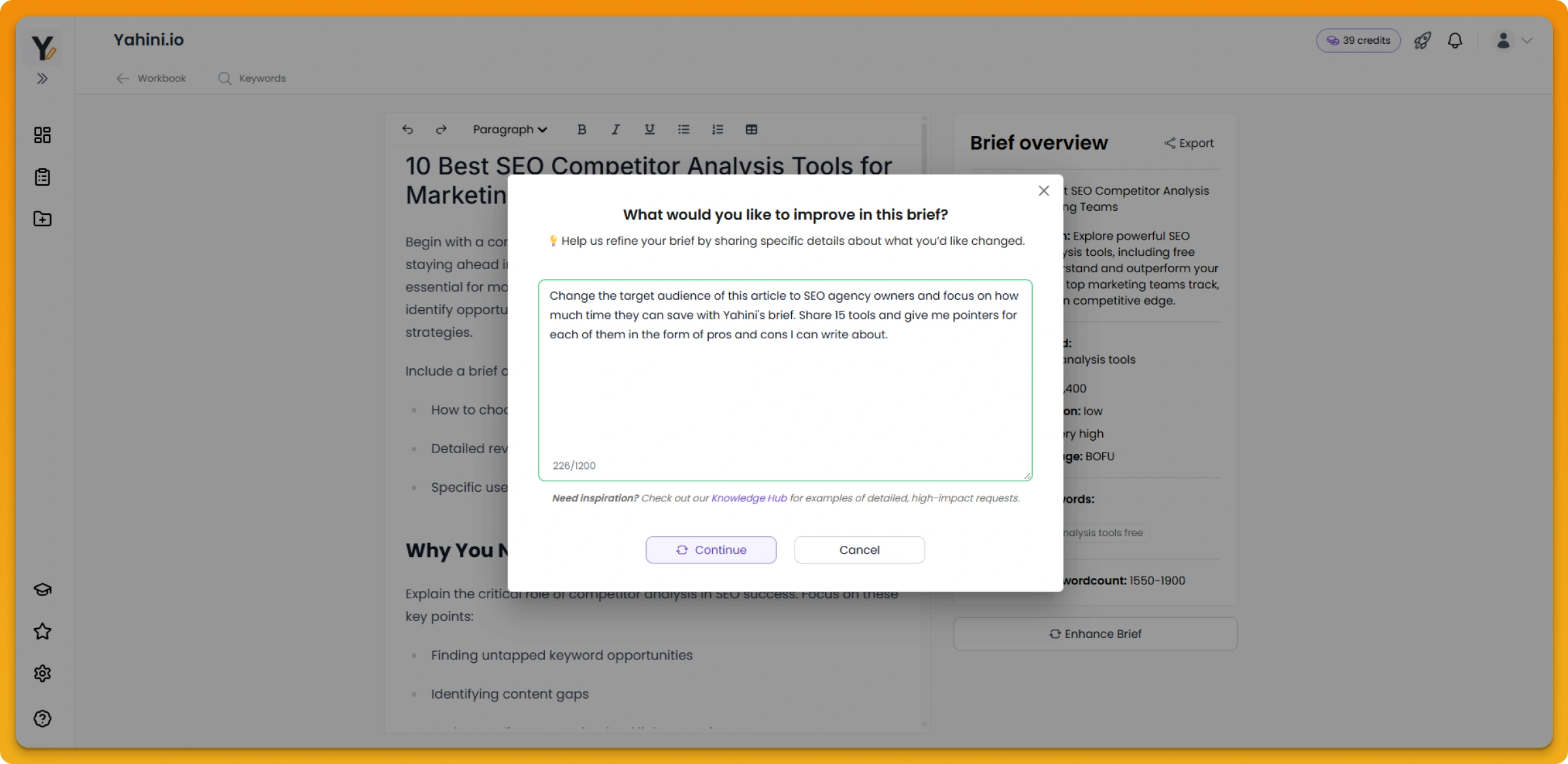
-
Submit & regenerate – Your brief will be updated, incorporating your feedback.
Why Would I Enhance a Brief?
Regenerating and enhancing a brief ensures your content is aligned with your business goals, audience, and market trends. Some common reasons to enhance a brief include:
✅ Refining audience targeting – Adjusting the brief to focus on a more specific customer segment (e.g., switching from general marketers to B2B SaaS founders).
✅ Changing the content angle – Reframing the approach (e.g., from a beginner's guide to an expert-level strategy).
✅ Updating for competitors – Excluding competitors that aren't relevant or adding competitive differentiators.
✅ Shifting the focus – Adding emphasis on key topics (e.g., highlighting CRM automation instead of generic sales tips).
✅ Adjusting tone & style – Making the content sound more conversational, technical, or aligned with your brand voice.