Visual Workflow Management
Your content calendar
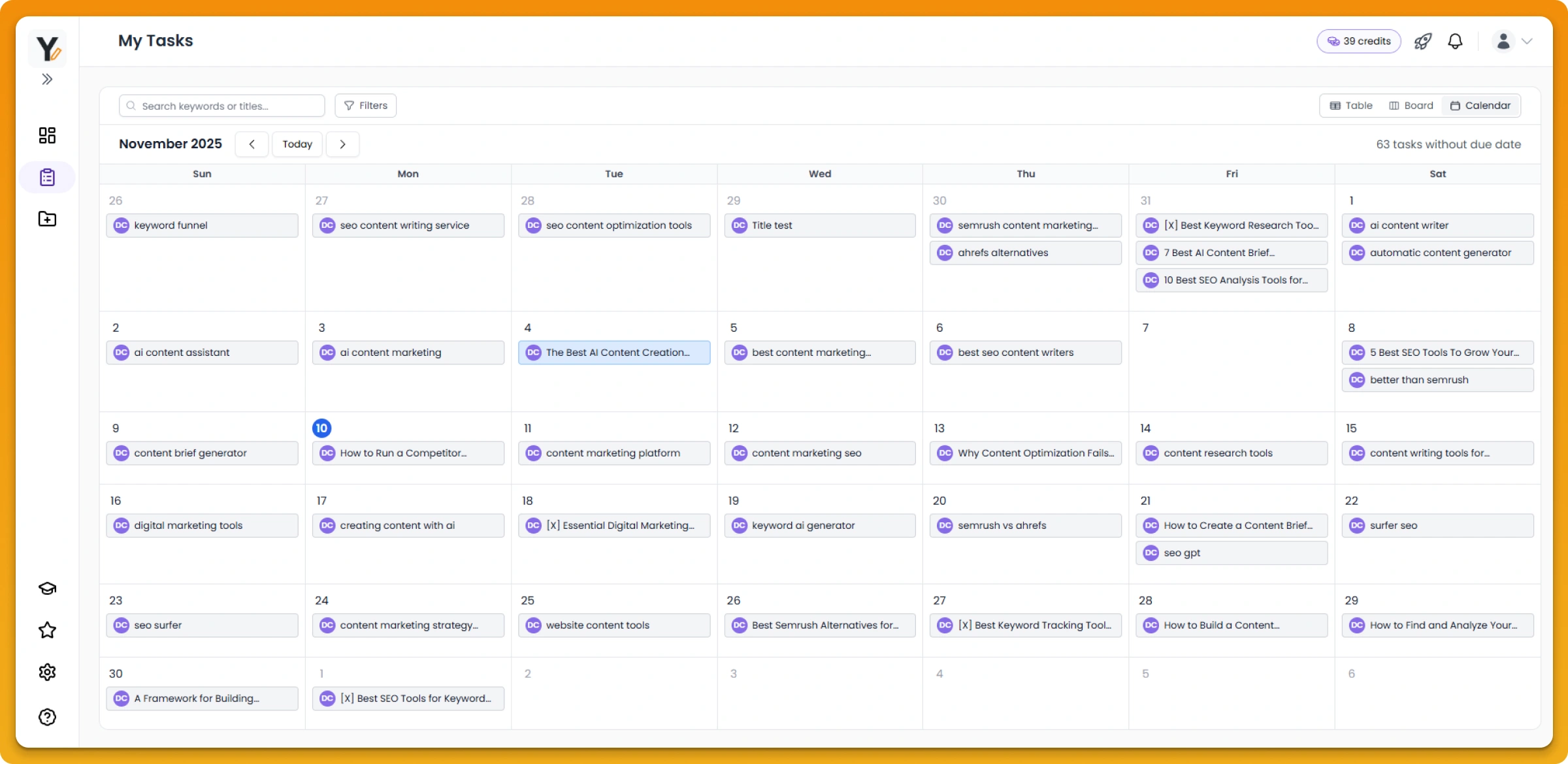
The content calendar is where strategy becomes action. It's your visual hub for managing content from brief to published.
What you see:
- Every piece of content you're working on
- Current status (brief, draft, review, published, etc)
- Who's assigned to each piece
- Deadlines and progress
Kanban-style workflow
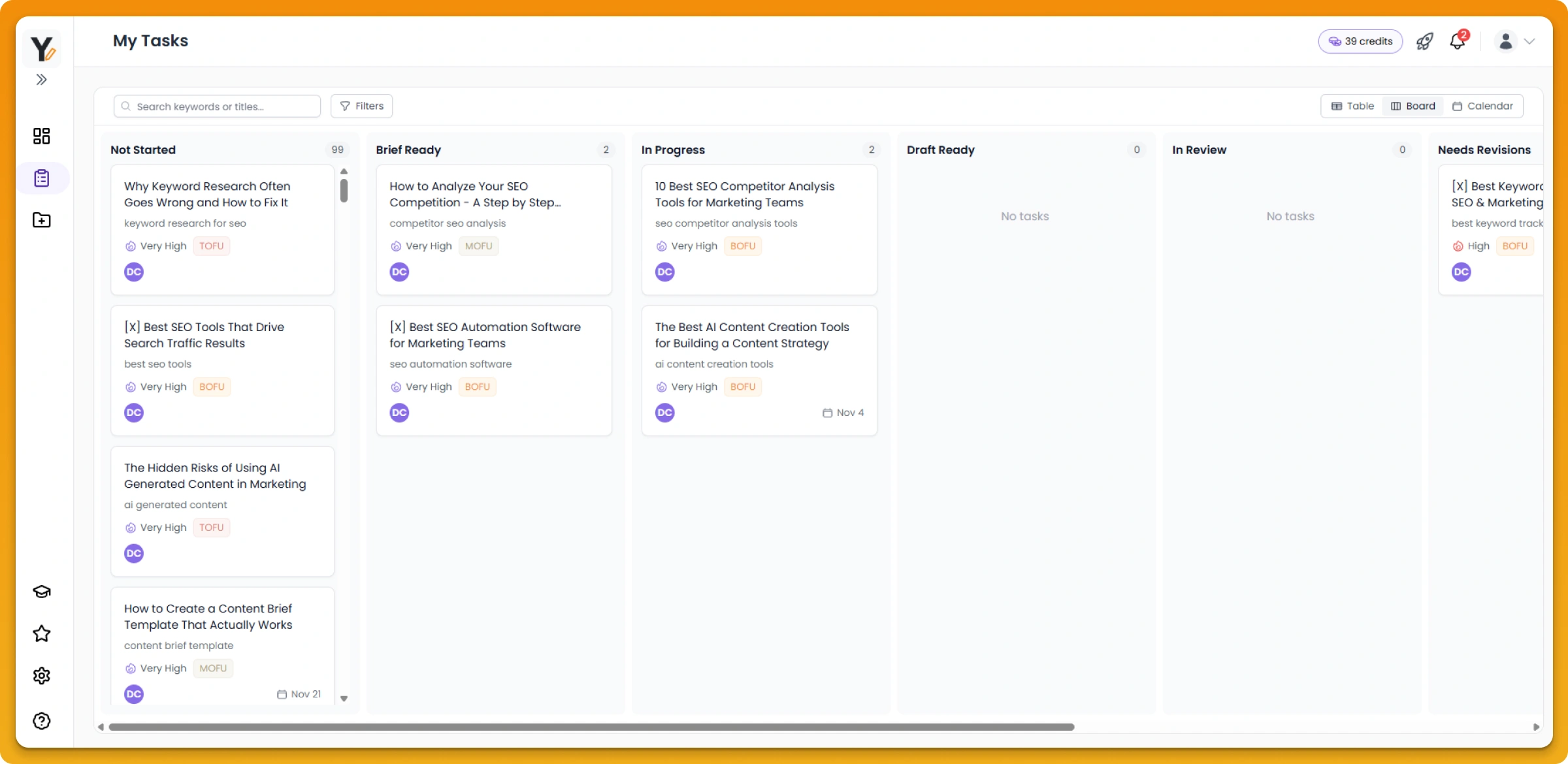
Move content through your workflow visually:
- Brief – Strategic briefs ready for your writers
- Draft – Writers are creating first drafts
- Review – Pieces under review for quality and brand alignment
- Published – Content live and in the world
Drag and drop to move pieces through stages as work progresses. Your entire team sees the workflow update in real-time.
Status tracking and visibility
Visual status indicators make it clear where every piece stands:
- See bottlenecks immediately (too many pieces stuck in review?)
- Know who's working on what
- Understand your content production pace
- Track progress toward publishing deadlines
This transparency helps your team stay aligned and catch blockers before they become bigger problems.
Organize your calendar
Sort and filter your calendar to match your workflow:
- View by priority (focus on high-impact pieces first)
- Organize by funnel stage (see your strategy distribution)
- Filter by assignee (track individual team member workload)
- Sort alphabetically for easy browsing